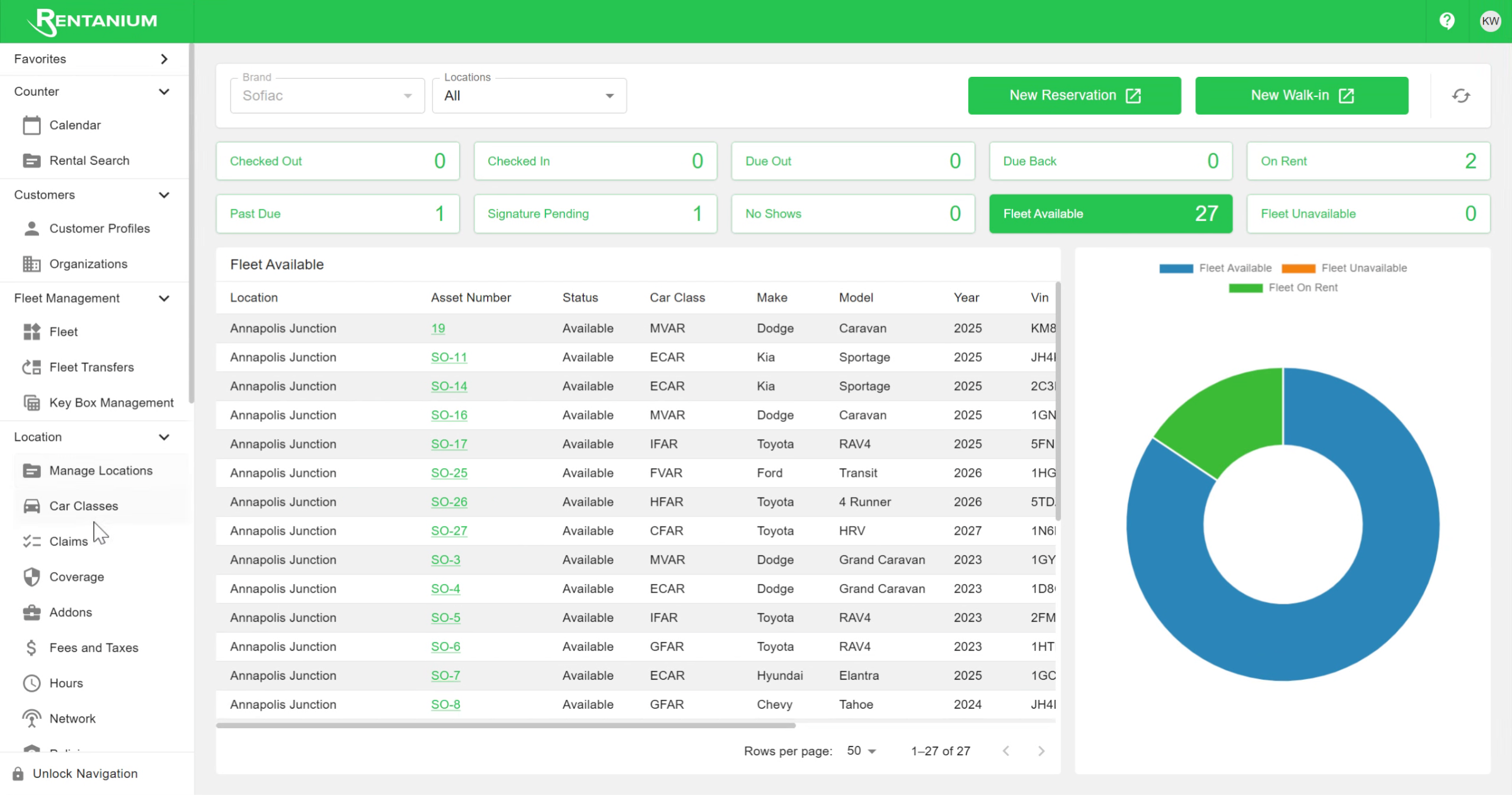
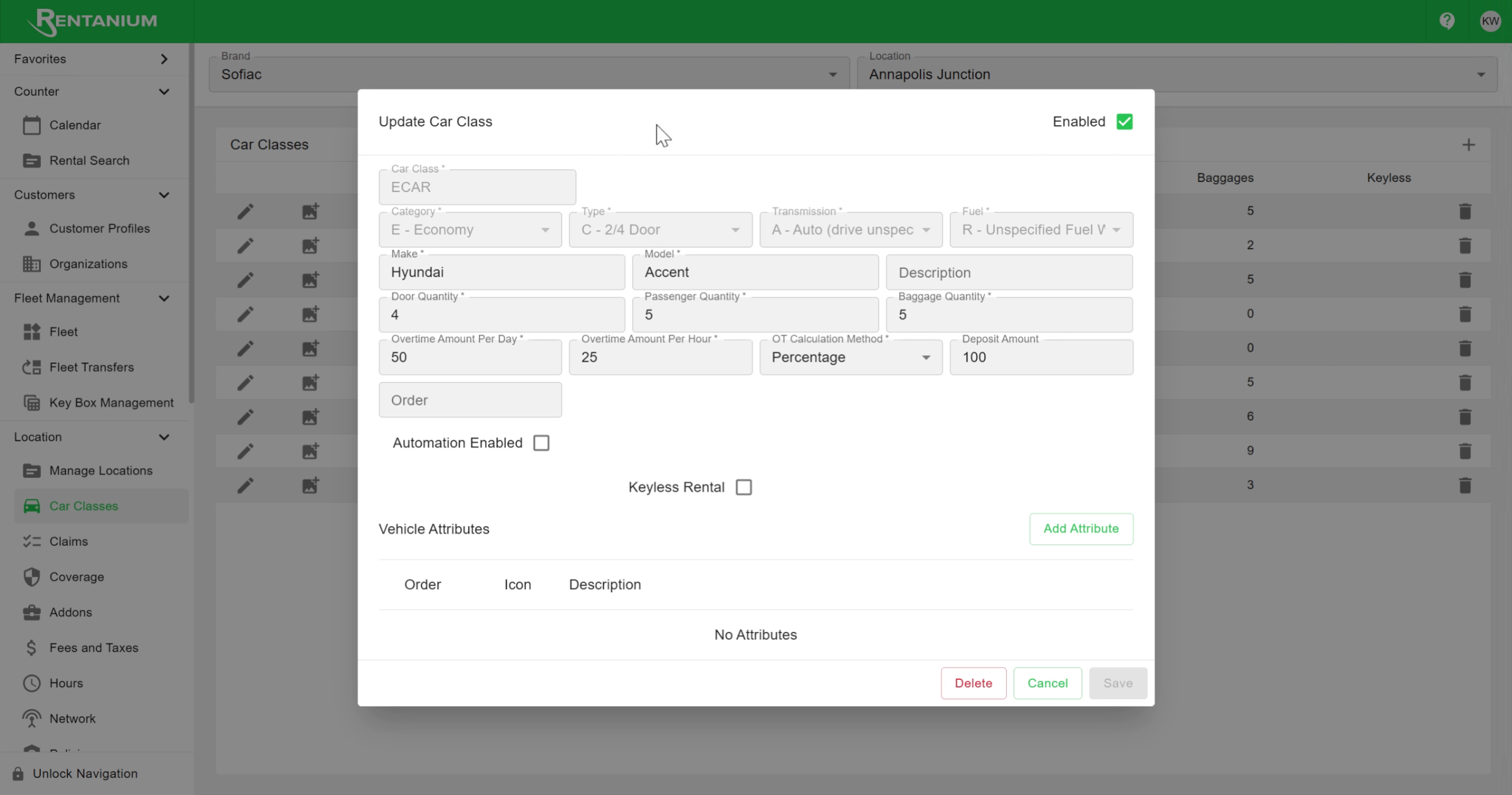
This tutorial walks you through editing the deposit amount for a car class. Navigate to the Car Classes section, click the pencil icon next to the car class you want to update, then locate the deposit amount box in the bottom right, enter the new value, and click Save to apply your changes.
Video content
02
Change Deposit Amount
Video content